Certifi's timesheets are divided into four sections:
- Header
- Line Items
- Expenses
- Totals
This article explains each of these sections in more detail to clear ambiguity.
Header
- The first part of the timesheet provides the following details regarding the timesheet:
- Timesheet Owner - The name of the Worker whose timesheet it is.
- Project Manager - The name of the Project Manager the timesheet is assigned to.
- Issue Date - The date the timesheet was issued on Certifi.
- Due Date - The date the timesheet is due to be paid.
- Subcontractor Address - The address of the Subcontractor's company (if applicable).
- Business Address - The address of the business due to pay the timesheet.
- VAT Number - The VAT number associated with the timesheet.
- Day Rate - The daily wage of the Timesheet Owner.
Line Items and Expenses
- The Line Items section of the timesheet describes work items completed by the Timesheet Owner and the reimbursement required for each item.
- Any CIS deduction is also shown in the Line Items section.
- The Expenses section shows any additional expenses incurred as part of the work completed in the timesheet for which the Worker is claiming compensation.
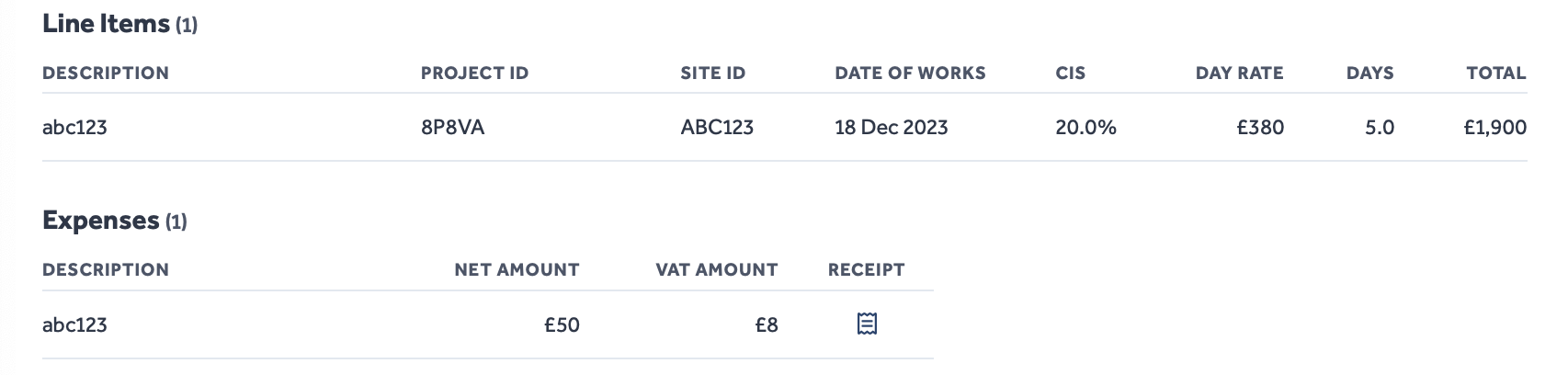
For Subcontractor users, line item totals are calculated using the user's set day rate and the number of days worked.
Under the Construction Industry Scheme (CIS), contractors deduct money from Subcontractors' payments, instead passing it to HMRC directly. The deductions act as advance payments towards the Subcontractor's tax and National Insurance.
Totals
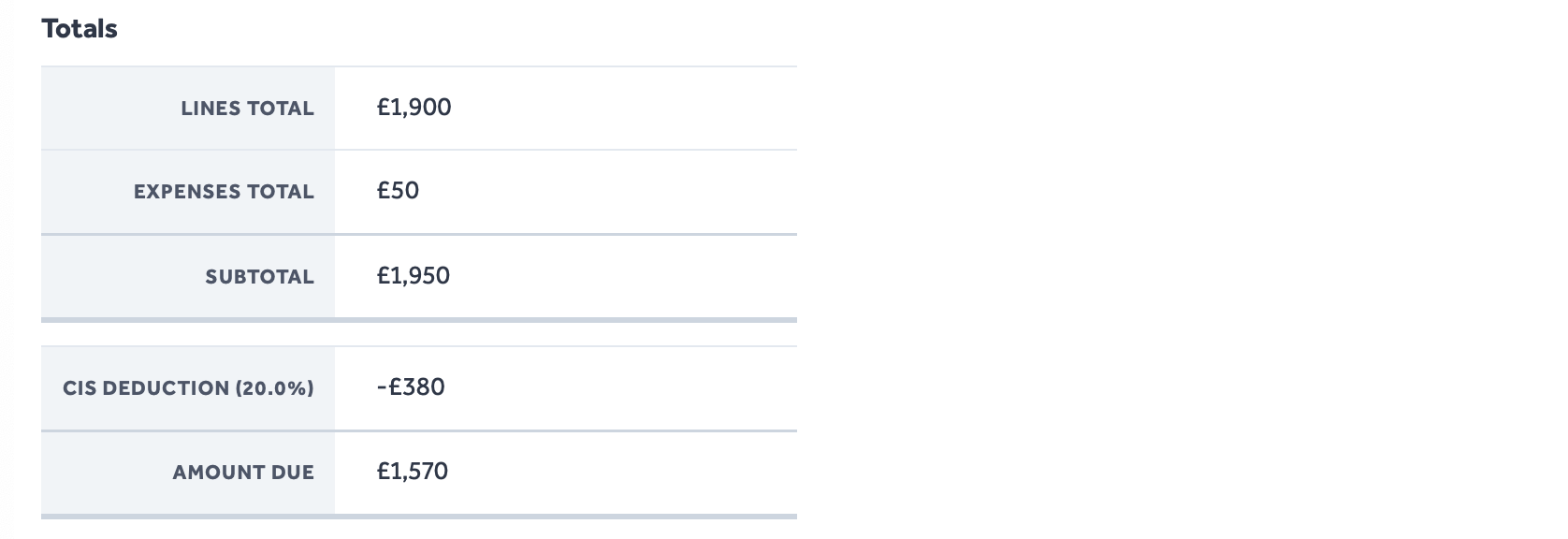
- The Totals section shows a final summary of all the work and expense costs being claimed for by the Worker.
- If applicable, this is the point at which any CIS deductions are applied.
Timeline and Comments
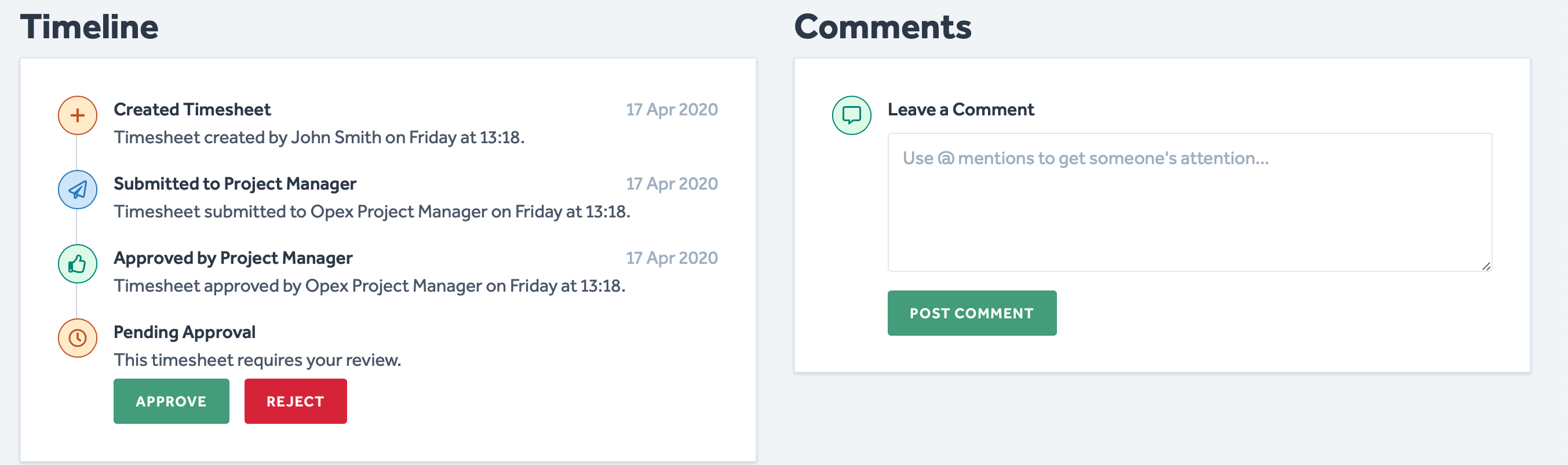
- The Timeline section shows the journey of the timesheet.
- The Timeline shows who has accepted/rejected the timesheet.
- To the right side, there is a Comments section to add any additional information or queries about the timesheet.
To protect the data privacy of our platform users, all data visible in images throughout this article is from a dummy dataset generated expressly for demonstration purposes. It is not real data.