Xero and Certifi work great together to automatically keep your financial information in sync safely and securely. To connect your Certifi Organisation to your company's Xero account:
- Click on your name in the top right corner of the dashboard
- In the drop-down menu, click Edit (your businesses name)

- Scroll down to Certifi Integrations at the bottom of the Company Settings page
- Click on the Xero icon to manage your connection

- The Xero connection page will then give you instructions on how to connect
- Click Connect to Xero in the top right corner
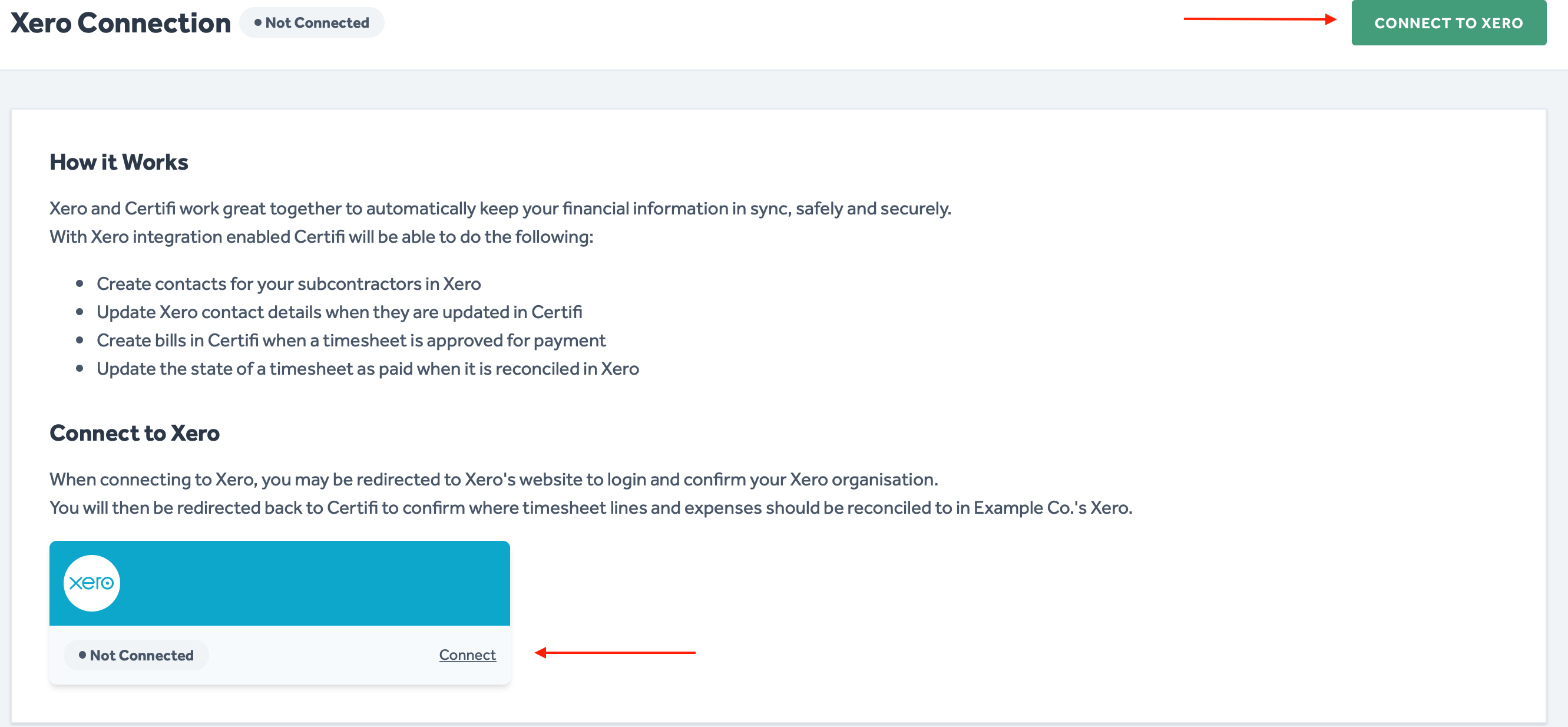
- Once selected, you will be redirected to Xero's website, where you will need to sign in with your Xero credentials
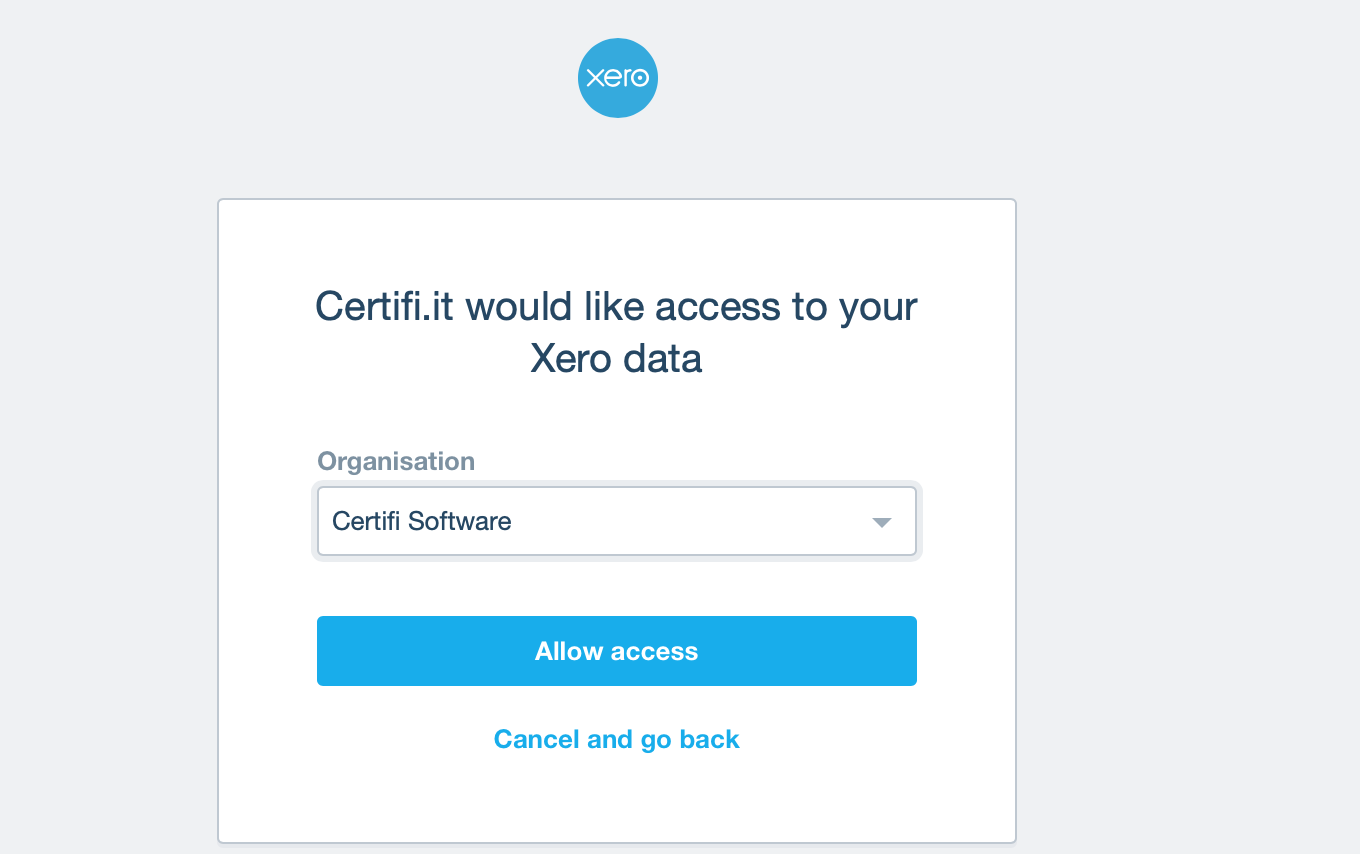
- After signing in, you will be prompted to pick the account you would like to connect to
- Once you have chosen your account, select Allow Access
Once connected, the Manage Xero card on the Certifi Company Settings page will read Connected. At this point, once any timesheet is marked as Approved For Payment, it will appear in your chosen Xero account as a Bill. Once these bills have been reconciled as paid in Xero, the integration will automatically update the timesheet's state in Certifi to Paid.
To protect the data privacy of our platform users, all data visible in images throughout this article is from a dummy dataset generated expressly for demonstration purposes. It is not real data.