In accordance with Certifi's four-step timesheet approval process, Admin users are required to manually approve or reject submitted timesheets. Timesheets needing approval can be accessed via both the Dashboard and the Timesheets page within Certifi. To approve or reject a timesheet, follow these steps:
- Navigate to the Dashboard or Timesheets tab (in the page's header).
The Dashboard shows a list of all timesheets which require action. The Timesheets tab, on the other hand, allows you to use your own criteria to filter the table of timesheets.
- Locate the timesheet you wish to review.
Certifi's four-step timesheet approval process requires Project/Line Manager and Finance users' approval at different stages. This means that:
As a Project/Line Manager: only timesheets flagged as With PM for Worker users assigned to you are available to approve. Once approved, these timesheets are marked as With Finance.
As a Finance user: you can only approve or reject timesheets flagged as With Finance.
As a Supervisor: you have full access to approve and reject all timesheets, regardless of their progress through the four-step approval process.
As a Project/Line Manager: only timesheets flagged as With PM for Worker users assigned to you are available to approve. Once approved, these timesheets are marked as With Finance.
As a Finance user: you can only approve or reject timesheets flagged as With Finance.
As a Supervisor: you have full access to approve and reject all timesheets, regardless of their progress through the four-step approval process.
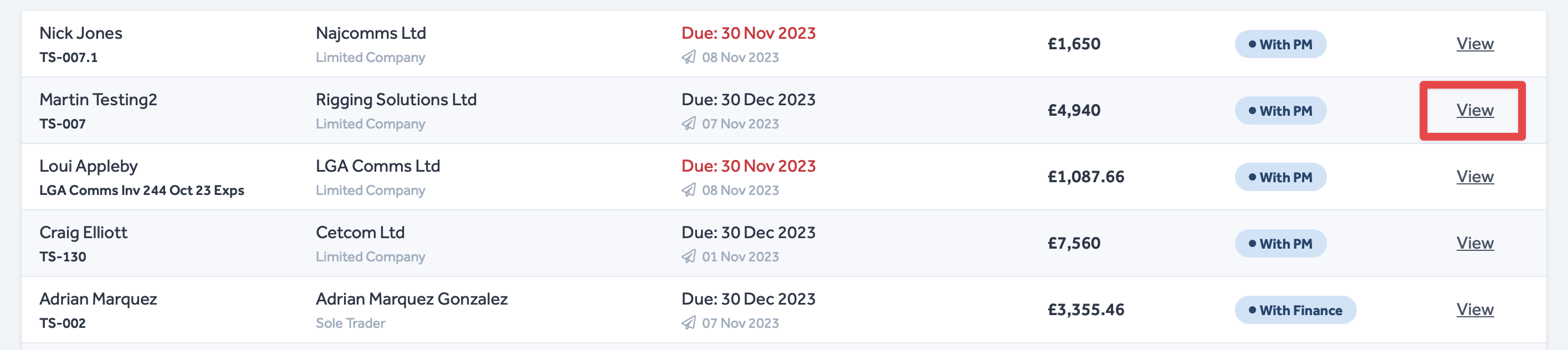
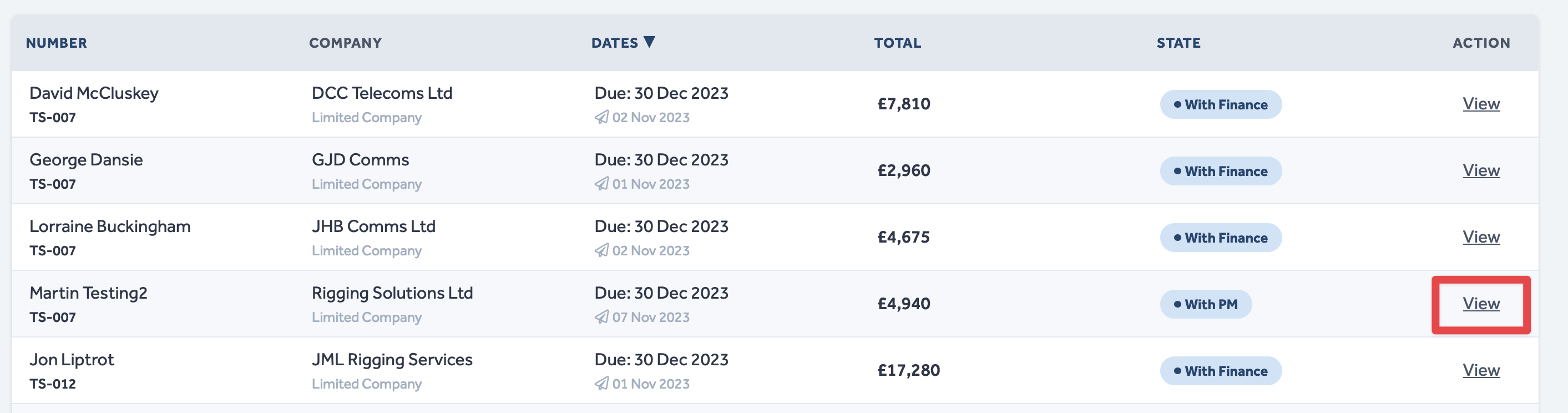
- Click View on the list entry corresponding to the timesheet you wish to review.
- For clarity, see an image of the View button in both the Dashboard and Timesheets tab views respectively below:
- This will open the timesheet for you to review.
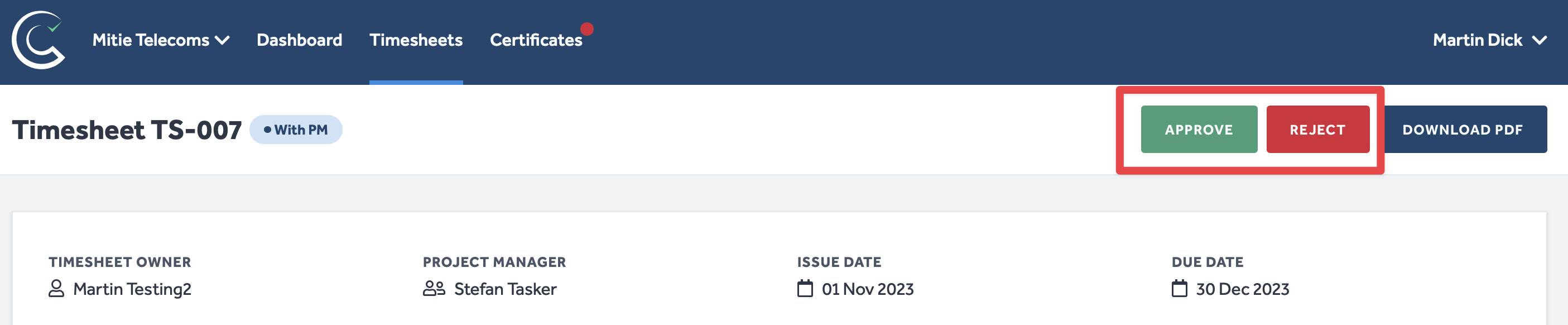
- Select either Approve or Reject in the top right corner.
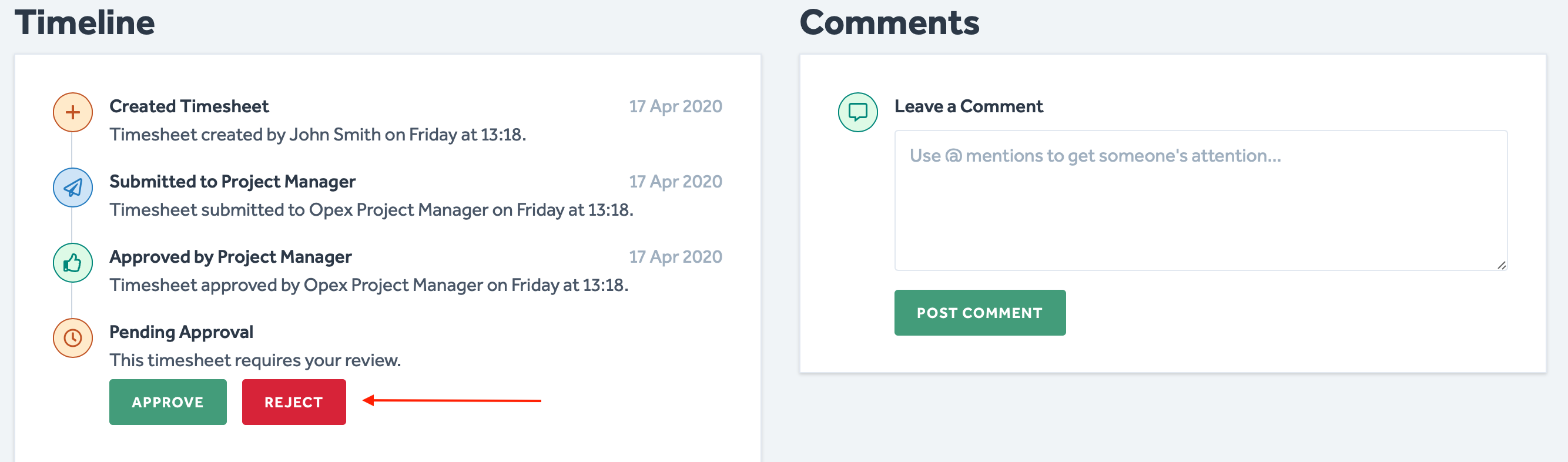
- You can also approve/reject a timesheet by scrolling down the timesheet to the Timeline section.
- If you select Reject, you will be prompted to enter a Reason for Rejection in the following pop-up window:
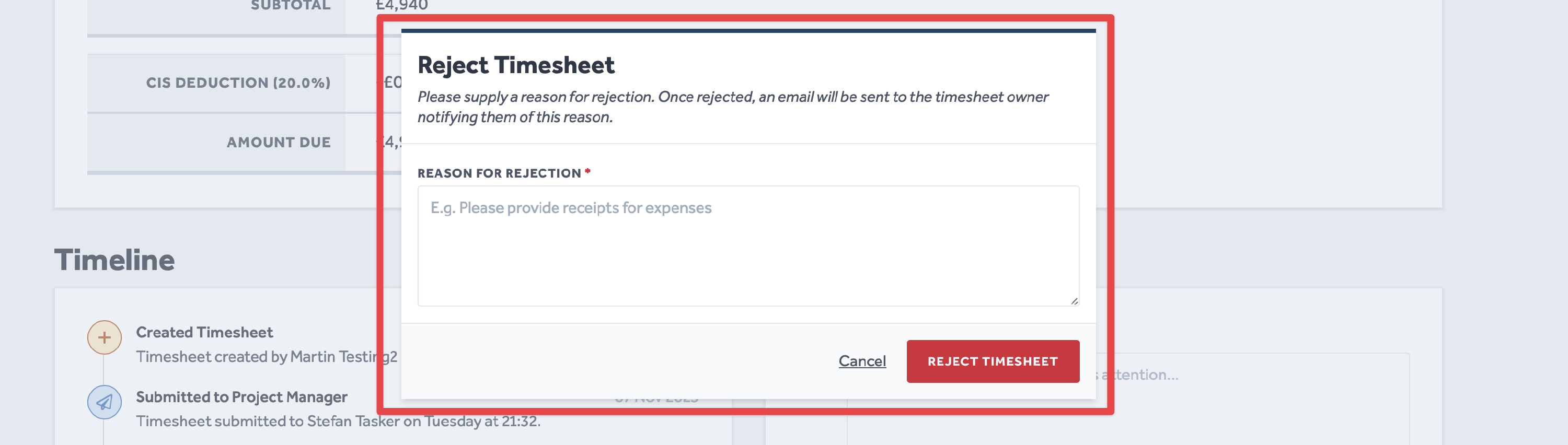
When you select Reject for a timesheet at the With Finance stage, you will be asked who you want to redirect the timesheet back to - the Project/Line Manager or the Worker (if the Worker is a Subcontractor, their redirect selection will be the name of their company).
- Once you are happy with the Reason for Rejection you have provided and, if prompted, selected an appropriate redirect destination, click Reject Timesheet.
To learn more about Certifi's four-step timesheet approval process, click here.
To protect the data privacy of our platform users, all data visible in images throughout this article is from a dummy dataset generated expressly for demonstration purposes. It is not real data.