As a Certifi user, it is important to ensure your certificates are valid to ensure your compliance to work. There are two ways to know when to renew your expiring certificates:
Email Notification
- If you have an Expired or Expiring certificate, you will receive an email from Certifi prompting you to renew it.
Within Certifi
- Login to your Certifi account.
- If you have Expired or Expiring certificates, you will also see a red dot above Certificates in the header.

- Clicking Certificates will open the My Certificates page.
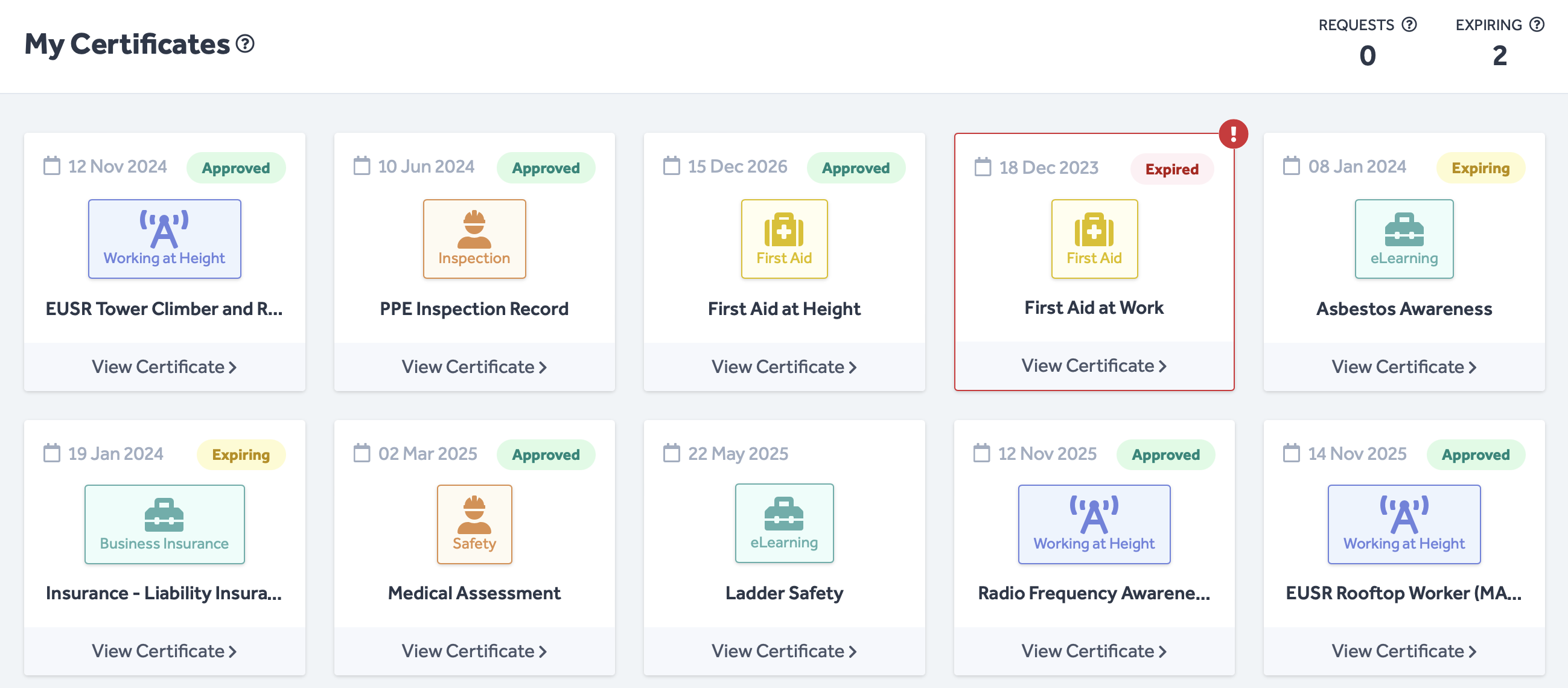
- Here, you will see all of your uploaded certificates in tiles, with colour-coded flags.
- Each certificate's expiry date is written in the top left-hand corner of its tile.
- A red exclamation mark (!) indicates a mandatory certificate that has expired.
If you'd like to find out more about how to renew and upload certificates, read the following articles:
To protect the data privacy of our platform users, all data visible in images throughout this article is from a dummy dataset generated expressly for demonstration purposes. It is not real data.