As an Admin user, you can renew certificates on behalf of Worker users. To renew a certificate, follow these steps:
- Go to the Certificates tab (located in the page's header).
- From the Pick a User column, select a Worker.
- Select the certificate you wish to renew from the Pick a Certificate column.
-
Click on the Renew button located in the Preview & Approval column.
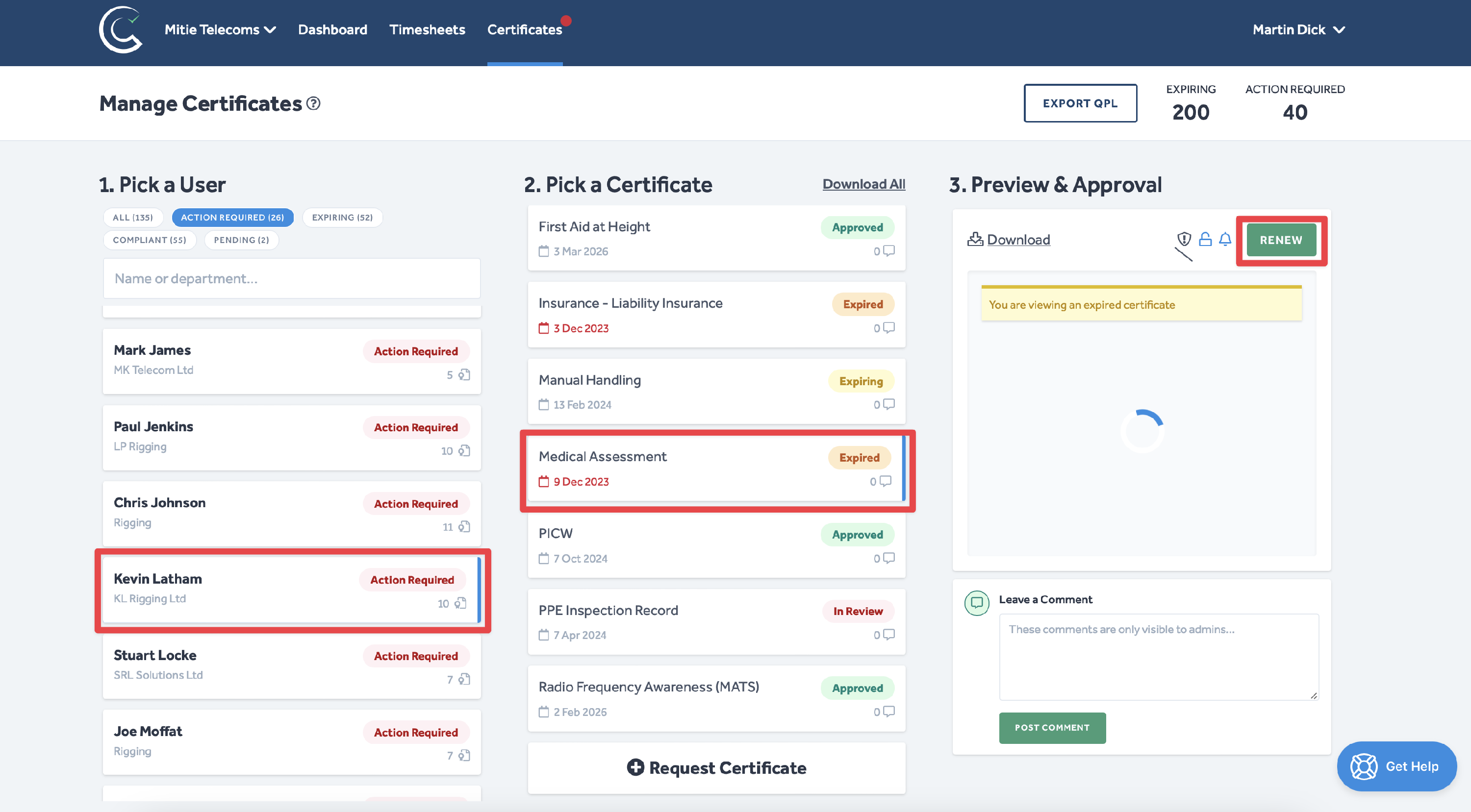
Certificates with Approved, Pending, Expiring or Expired tags can be renewed. Certificates tagged as In Review must be approved or rejected before they can be renewed. Get more information about approving and rejecting certificates here.
- You will then be presented with the following pop-up window:
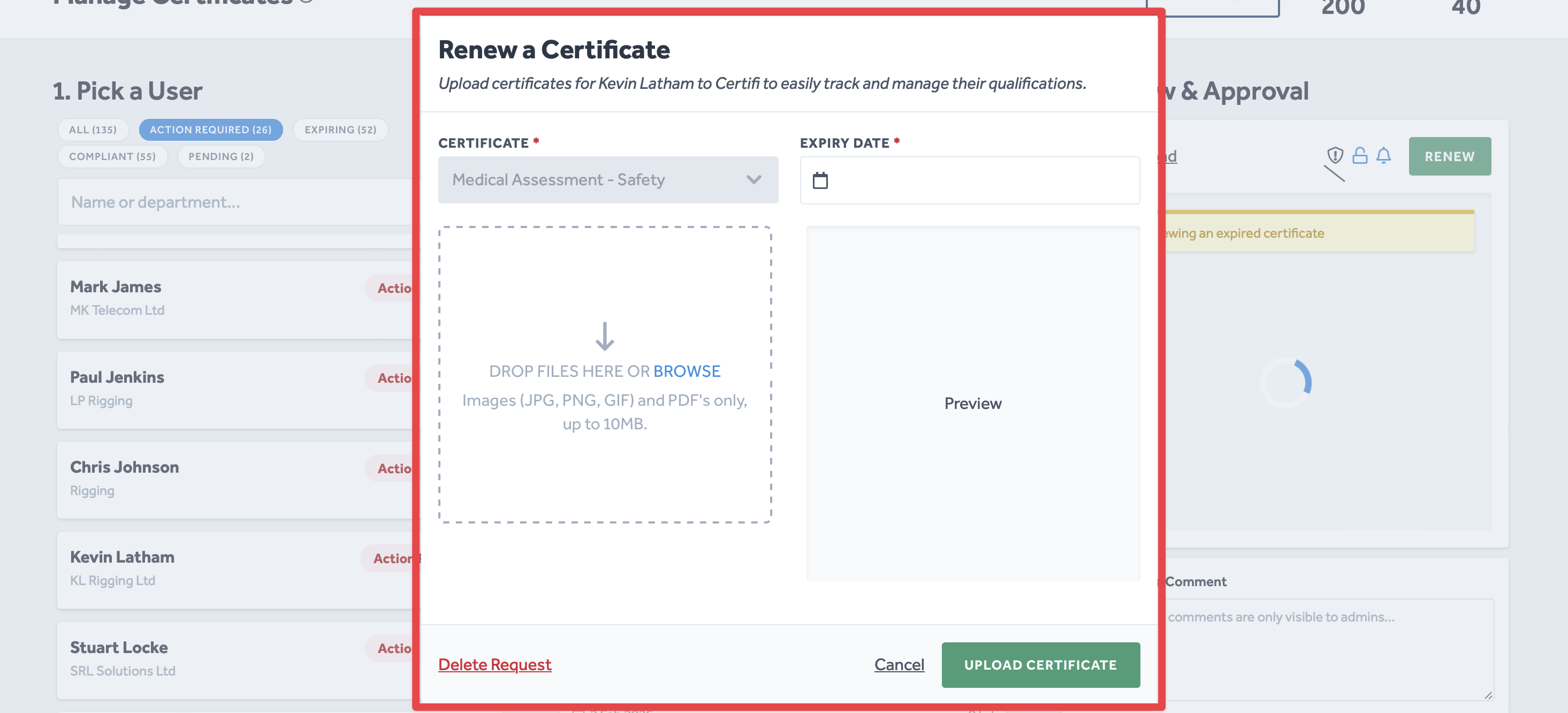
- Enter the Expiry Date of the renewed certificate into the provided field.
- Follow the instructions in the dashed box to attach an image of the renewed certificate.
- Click Upload Certificate, and you're done! You have successfully renewed a certificate.
To protect the data privacy of our platform users, all data visible in images throughout this article is from a dummy dataset generated expressly for demonstration purposes. It is not real data.