Archived certificates will become unavailable to any organisation that has requested them. If there are obsolete certificates on your profile, you may wish to archive them. If you wish to archive a certificate, follow these steps:
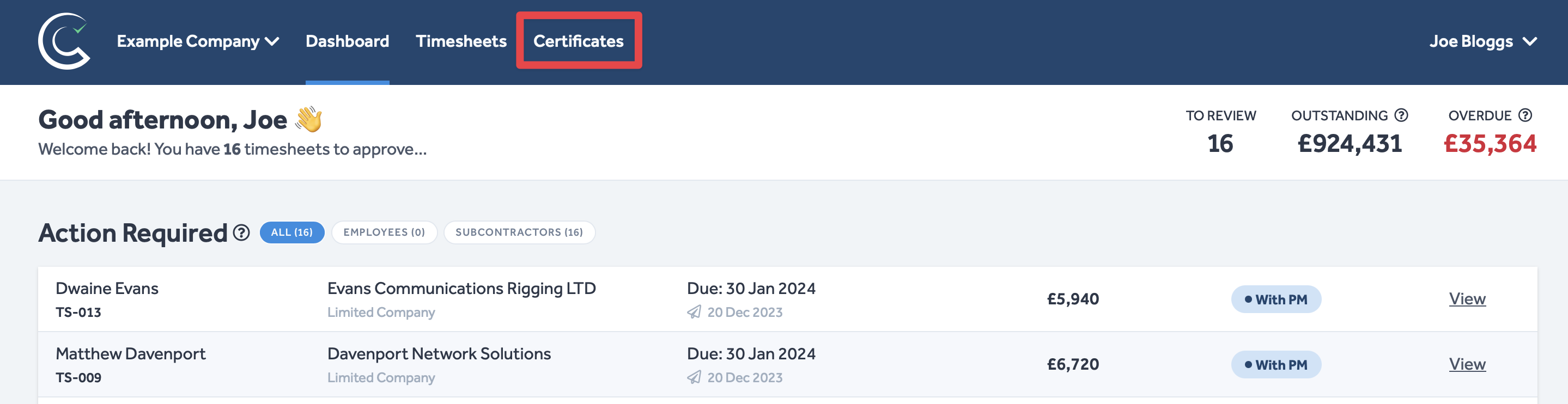
- Navigate to Certificates in the header of any Certifi page.
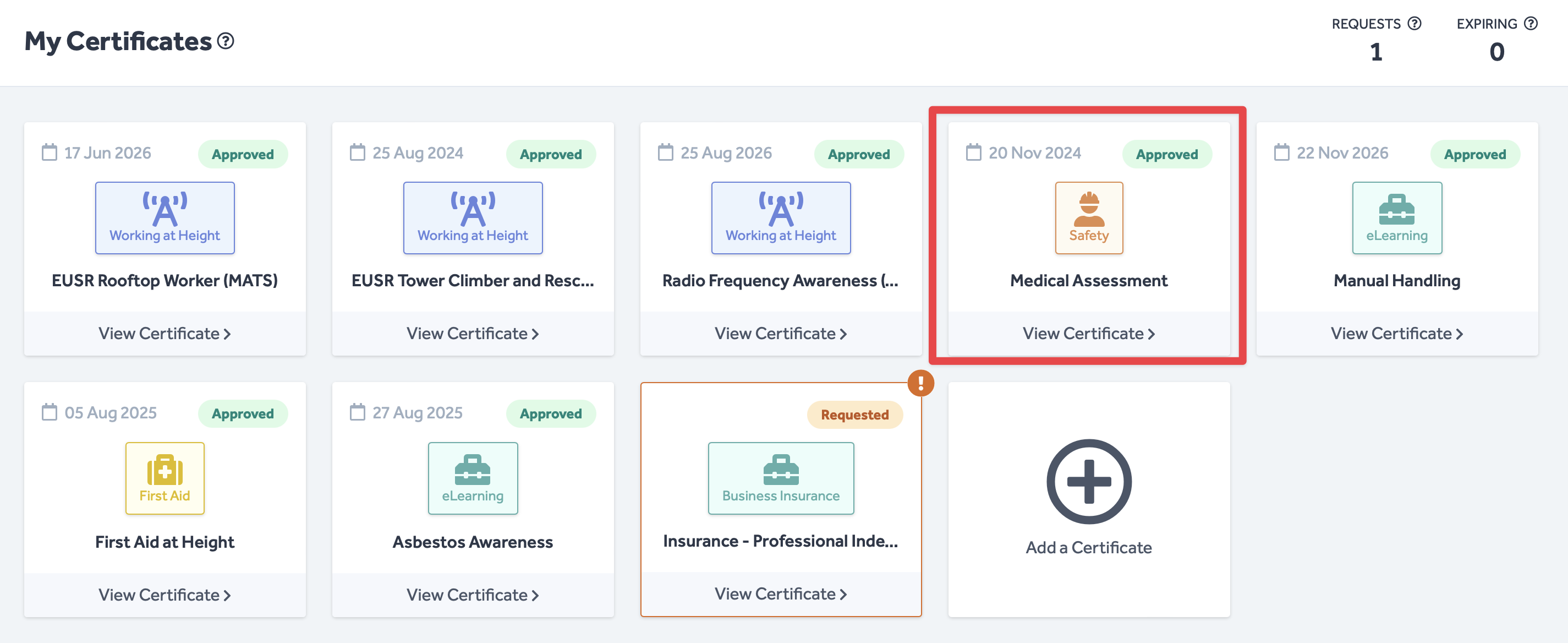
- Here, you will find all of your certificates and certificate requests.
- Click on the certificate you want to archive.
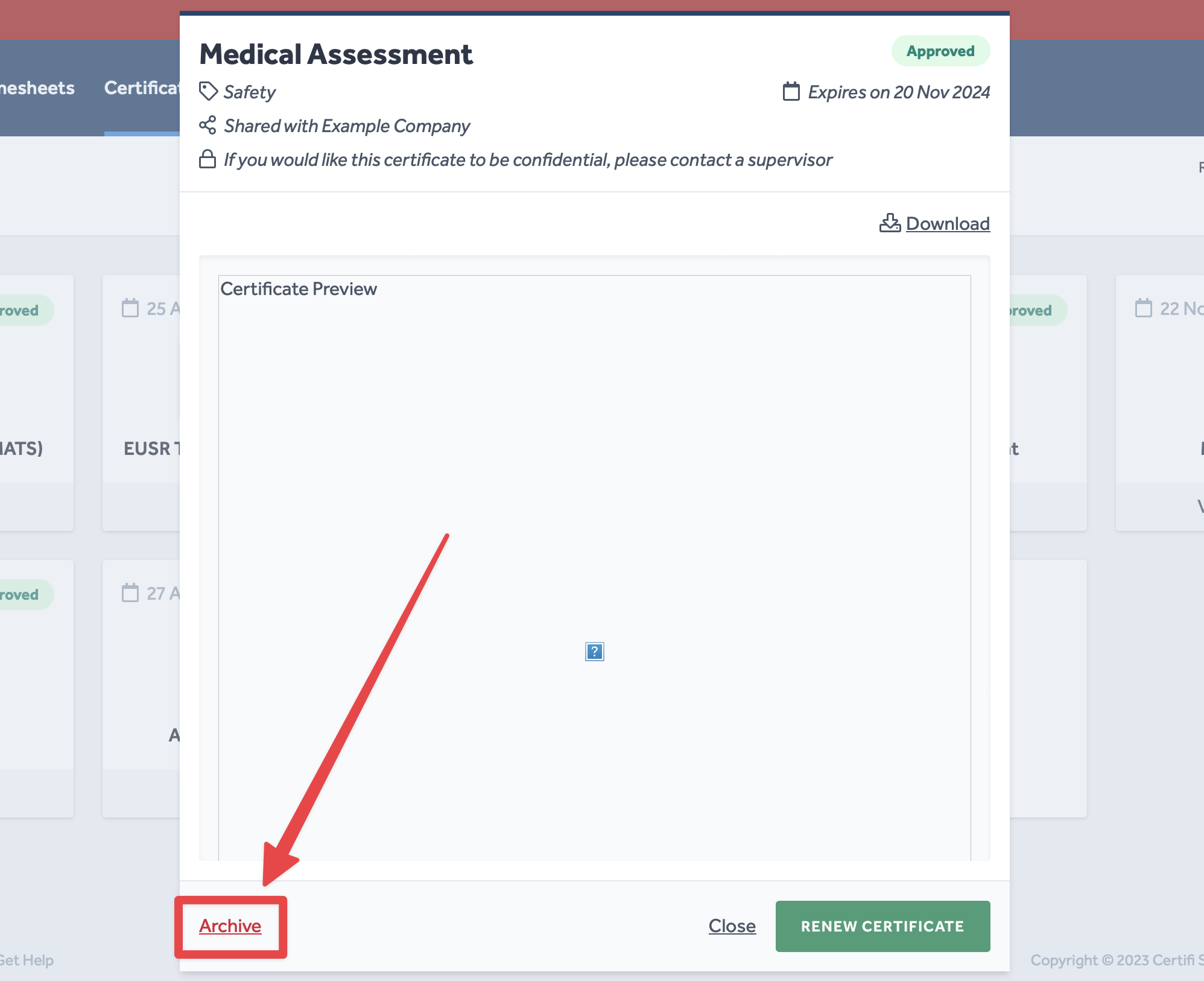
- This will bring up the preview pop-up window for the selected certificate.
- In this pop-up window, select Archive in the bottom left corner.
- This will open a confirmation box.
- If you are sure you would like to archive the certificate, click OK.
- Your certificate will now be archived.
To protect the data privacy of our platform users, all data visible in images throughout this article is from a dummy dataset generated expressly for demonstration purposes. It is not real data.