The Dashboard page acts as your Certifi homepage, helping you to see an overview of your timesheets quickly and easily. Use this article to better understand how the Dashboard page works from the perspective of Subcontractor and Employee users.
- The top of the Dashboard is personalised to you. On the right-hand side, you will see the total value of any outstanding timesheets and any overdue amount.

Recent Timesheets
- Your three most recently created timesheets are shown in this section.
- In this section, you also have the option to draft or submit a new timesheet by clicking Create Timesheet.
- You can review and see the details of the timesheets in this section by clicking View Timesheet under any of the three timesheet tiles.

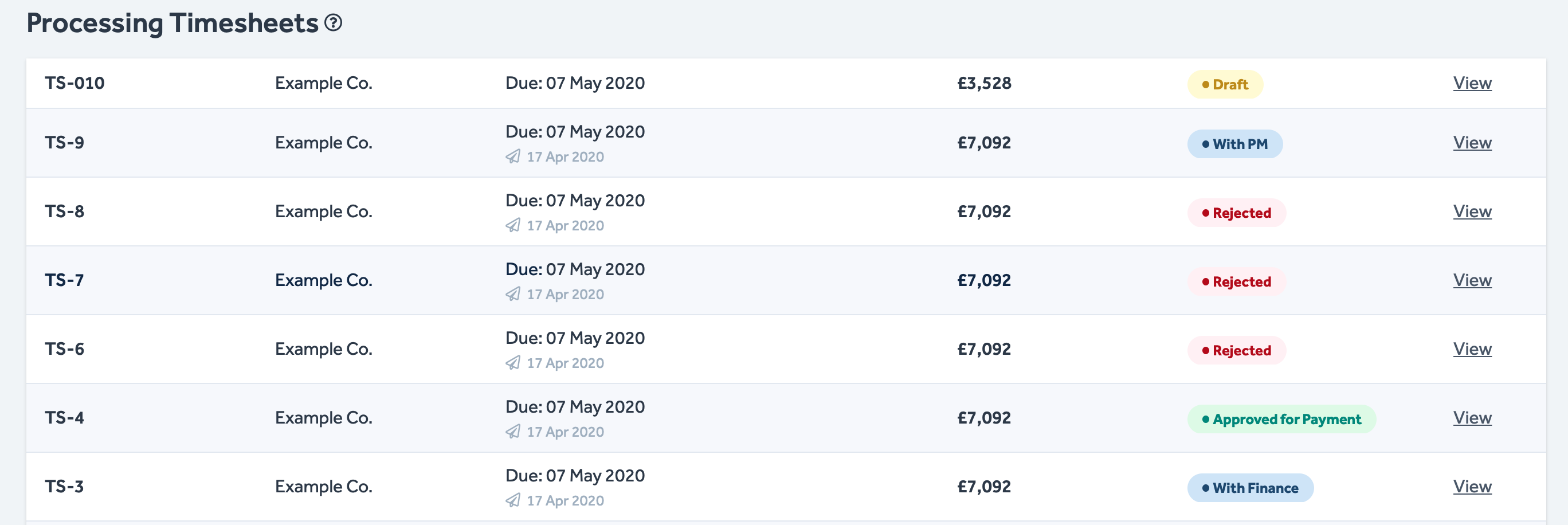
Processing Timesheets
- This section displays your outstanding and drafted timesheets in chronological order with a flag to show their current status.
- Click View to see details of any timesheet in this section.
Any timesheets in the Paid state are not shown on the Dashboard. These can be found on the Timesheets page, accessed via the Certifi header.
To protect the data privacy of our platform users, all data visible in images throughout this article is from a dummy dataset generated expressly for demonstration purposes. It is not real data.