As a Certifi user, your certificates must be valid to ensure you are compliant to work. To renew an expired or expiring certificate, follow these steps:
- Go to Certificates in the header of any Certifi page.

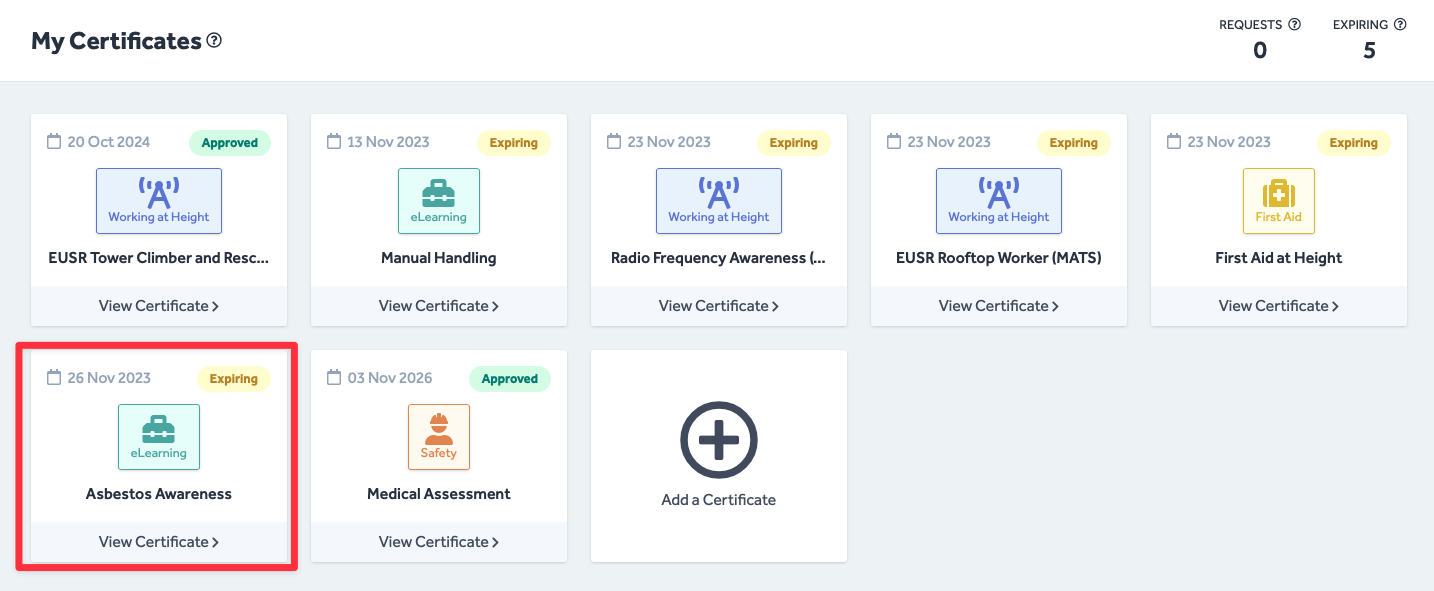
- Here, you will find all your certificates laid out in tiles with colour-coded flags to show their status.
- Click on an Expired or Expiring certificate.
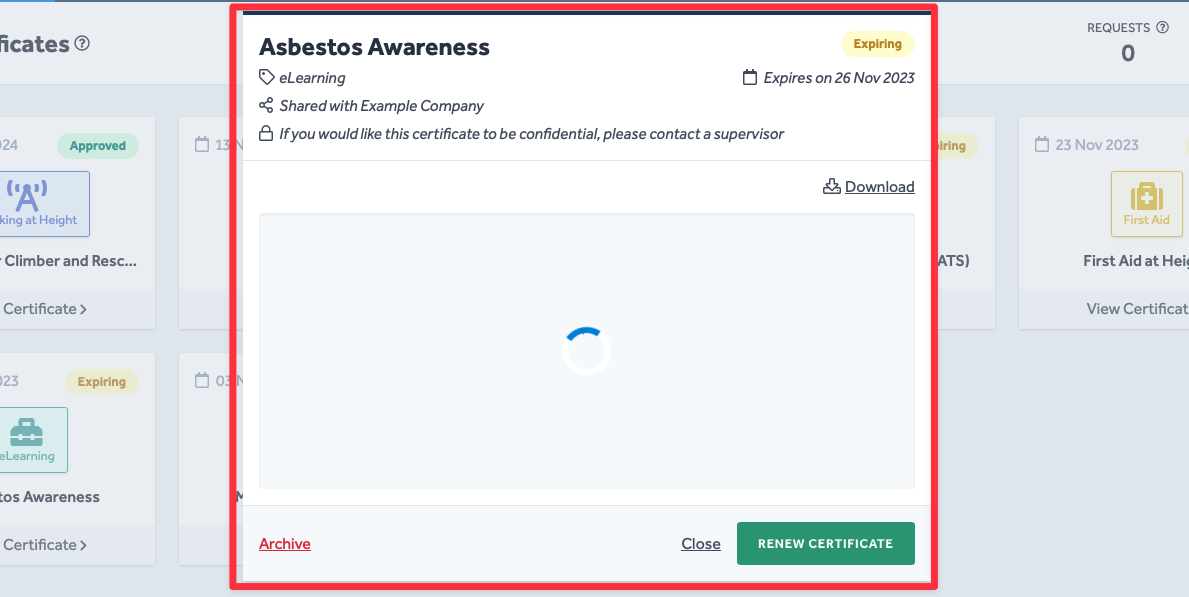
- You will then be presented with a pop-up window showing more details about the certificate.
- When you are ready to renew the certificate, click Renew Certificate.
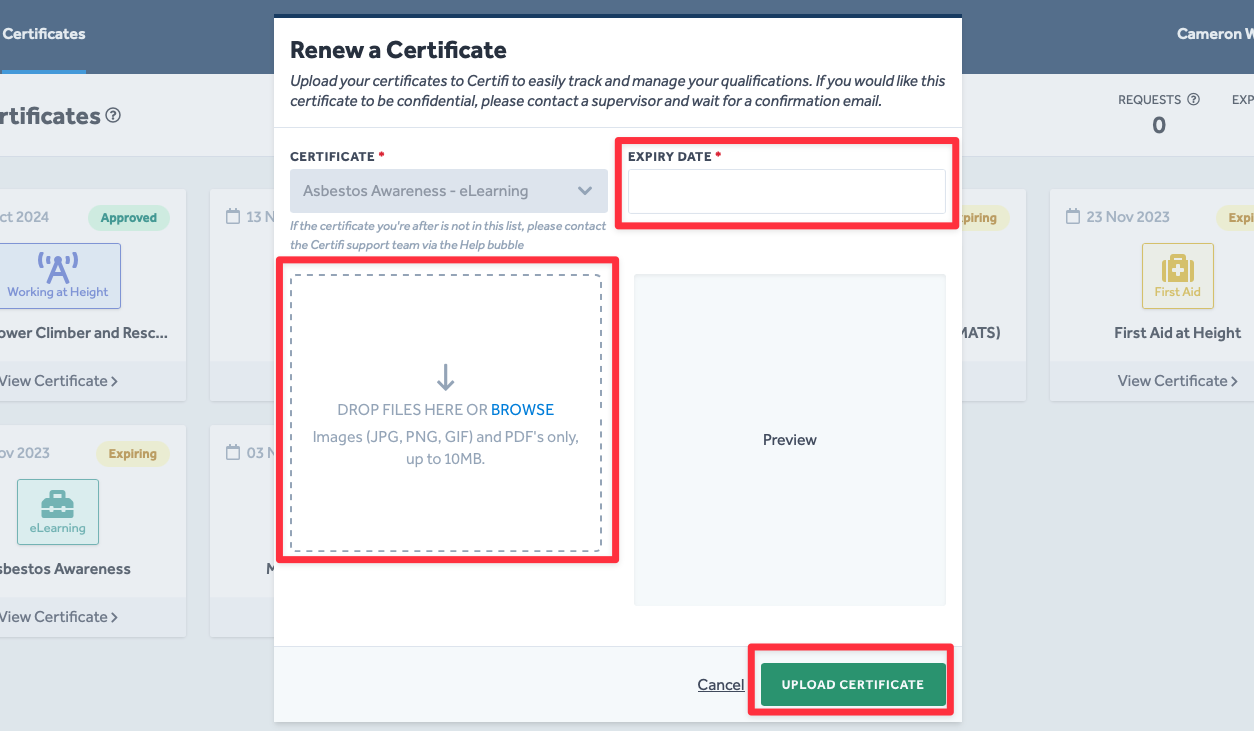
- You will then be met with the Renew a Certificate pop-up window.
- Here, you should enter the Expiry Date of your renewed certificate and use the dashed box field to upload an image of the new certificate.
- Once you are happy with the information entered, click Upload Certificate.
- Once submitted, your renewed certificate must be flagged as Approved by an Admin user before it becomes active on your Certifi profile.
To protect the data privacy of our platform users, all data visible in images throughout this article is from a dummy dataset generated expressly for demonstration purposes. It is not real data.