Once a Worker has uploaded a certificate, Admin users will receive an email notification alerting them that it must be reviewed and approved. To approve or reject an uploaded certificate, follow these steps:
- Go to the Certificates tab (located in the page's header).
- From the Pick a User column, select a Worker.
Note: If the selected Worker has a certificate pending approval, it will be tagged with In Review in the Pick a Certificate column.
- Select the certificate you wish to review from the Pick a Certificate column.
- Once a certificate has been selected, the certificate appears in the Preview & Approval column.
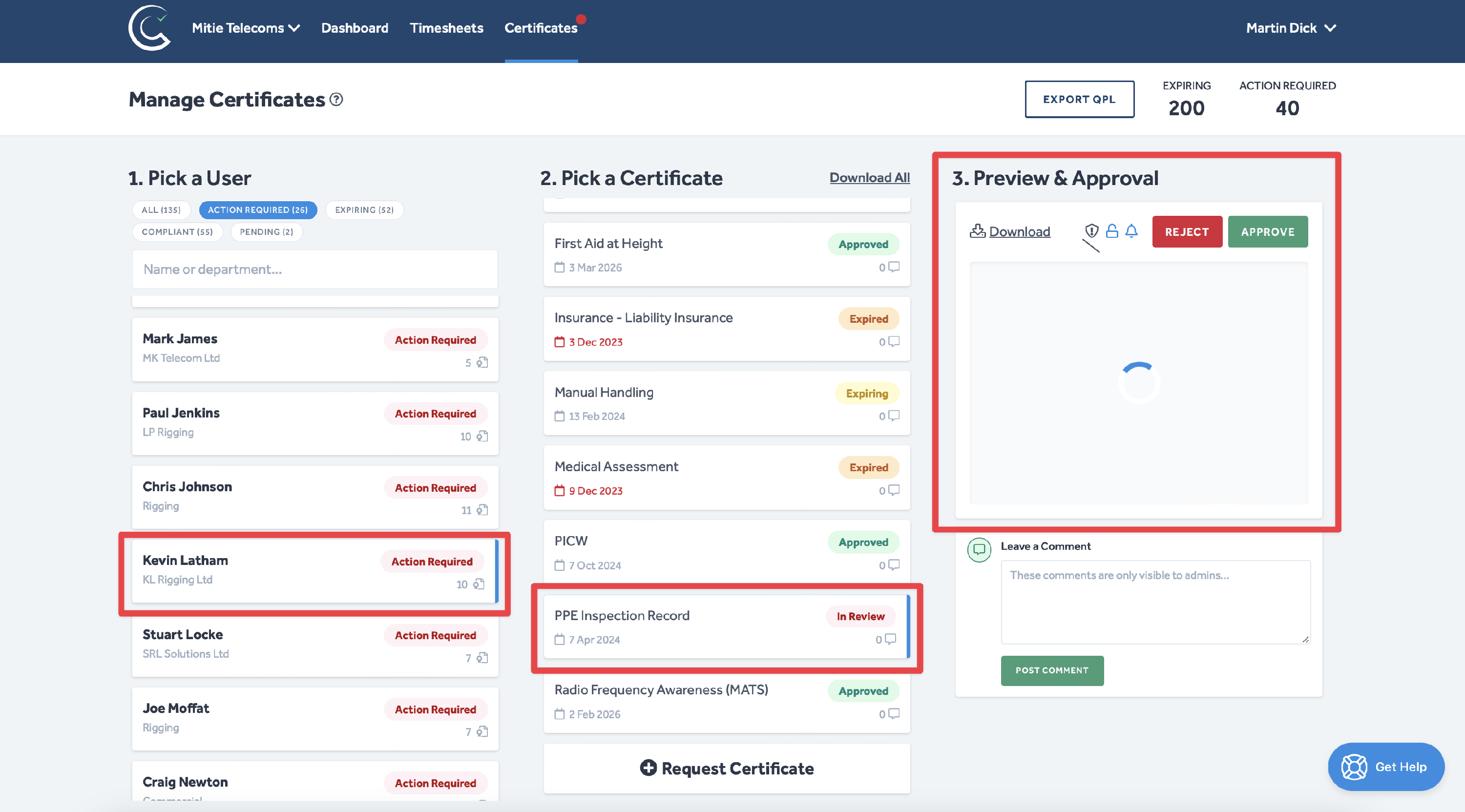
The certificate image preview has been hidden in the above figure for data protection purposes.
- Review the certificate by clicking the image preview in the Preview & Approval column.
- If you are happy with the uploaded certificate, click Approve.
- If you are rejecting the certificate, please click Reject.
- You will then be prompted to provide a reason for rejection in the following pop-up window:
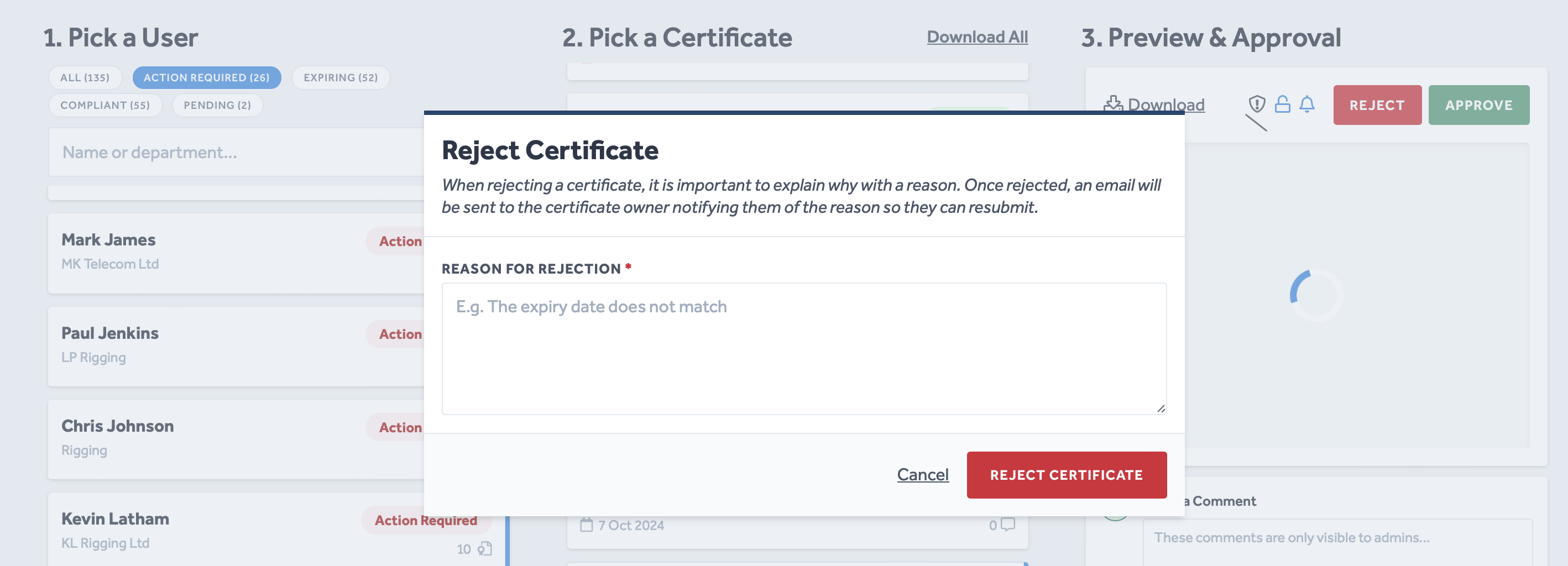
- When you are happy with the rejection reason you have entered, click Reject Certificate to confirm the rejection.
To protect the data privacy of our platform users, all data visible in images throughout this article is from a dummy dataset generated expressly for demonstration purposes. It is not real data.