If a user is struggling to sign up for Certifi or has lost their invitation email, Certifi's User Management page can be used to send a fresh invitation email to the specified email address. Follow these instructions to resend an invite:
Before using this feature, please check the user's junk mail for the invitation email.
- Navigate to User Management by clicking on your company name in the page's header and selecting User Management from the drop-down menu.

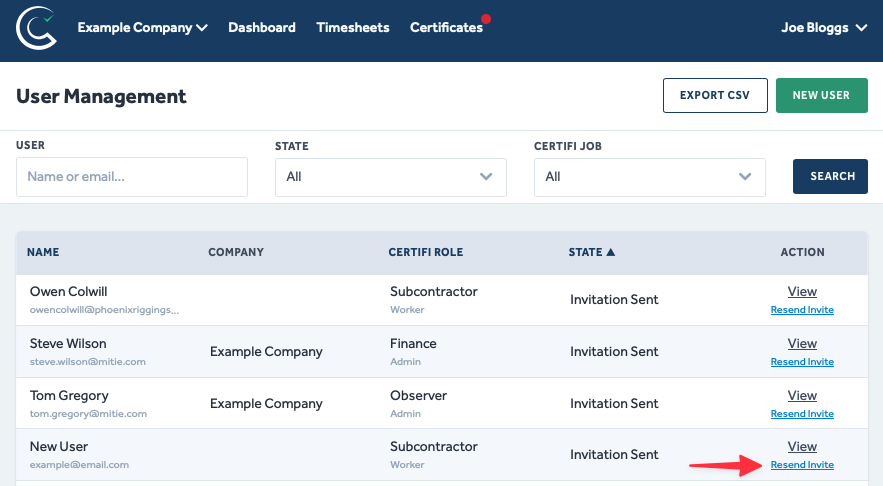
- Once in the User Management menu, scroll or use the filters to go through the list of your workspace users until you find the person you are looking for.
- Click Resend Invite next to the desired user, and a new invite will be sent to the user.
Once the new invite email is sent to the user, their old invite email will become void.
To protect the data privacy of our platform users, all data visible in images throughout this article is from a dummy dataset generated expressly for demonstration purposes. It is not real data.