Admin users can control when they receive notifications about uploads and expiries of certificates and timesheets. To manage your email preferences, follow these steps:
- Click on your name in the top right-hand corner of Certifi.
- In the drop-down menu, click Profile.

Once in the Profile menu, you are able to change the email address notifications will be sent to, as well as the frequency and type of notification emails you receive.
To change the email address notifications are sent to:
- Navigate to the Personal Information section of your Profile.
- Enter your desired email address in the field marked below.
- Click Save Changes.
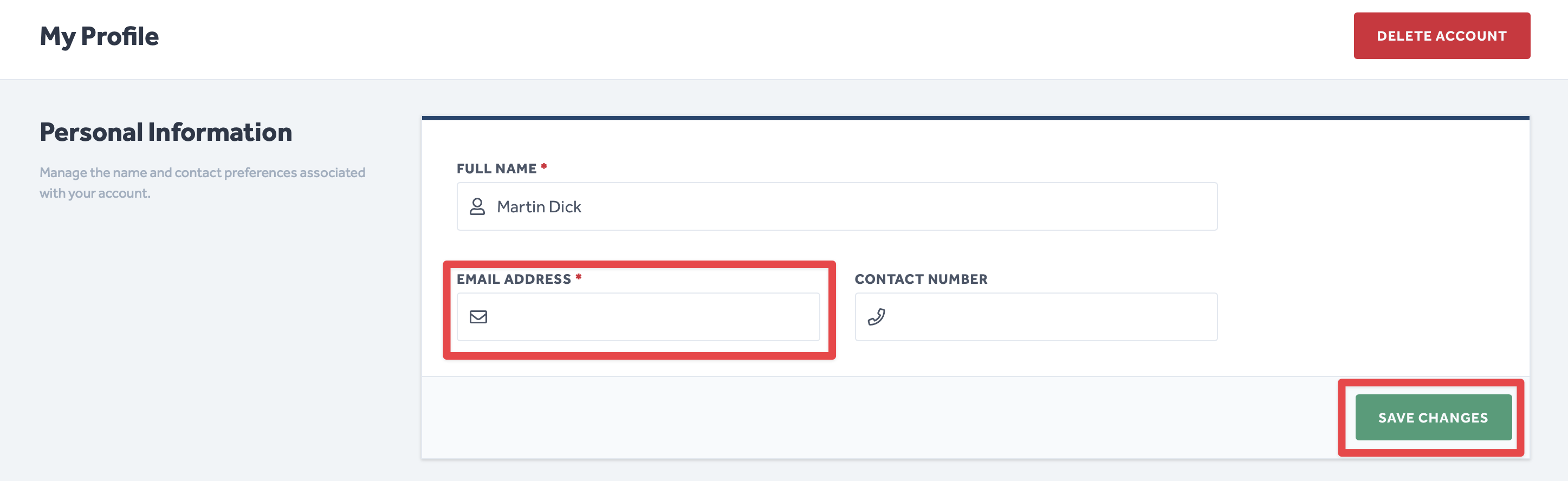
To Change the frequency and type of notification emails you receive:
- Navigate to the section called [Your Company Name] Email Preferences (below is an example of what this section would look like for a Certifi Admin)
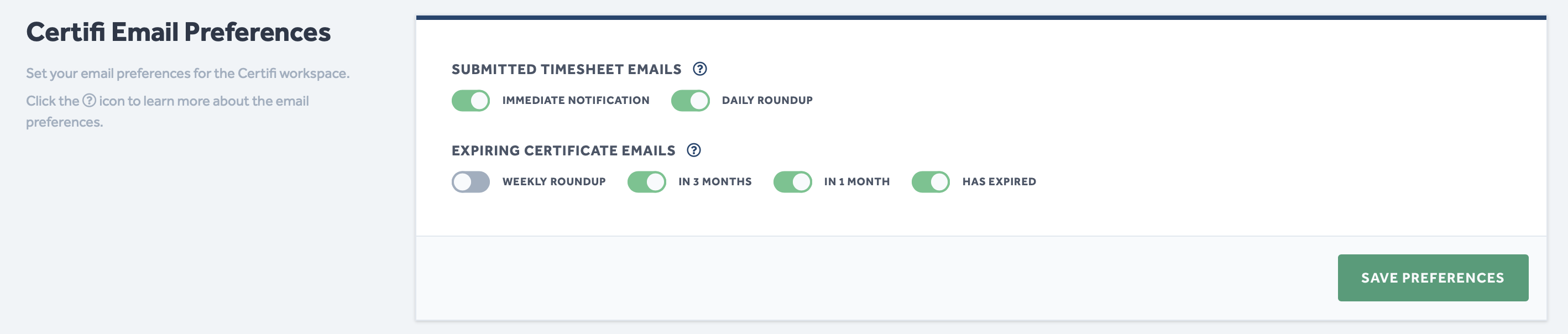
- Use the toggle switches within this section to select which email notifications you wish to receive.
- Click Save Preferences.
Click on the (?) icons in this section to see an explanation of each type of email notification.
To protect the data privacy of our platform users, all data visible in images throughout this article is from a dummy dataset generated expressly for demonstration purposes. It is not real data.