Signing up as an admin is a frictionless two-step process; this article describes these two steps to help remove ambiguity.
For your company's security, creating a user account is an invite-only process. As a new user, you must be sent an invitation from a Supervisor user to join your company's workspace.
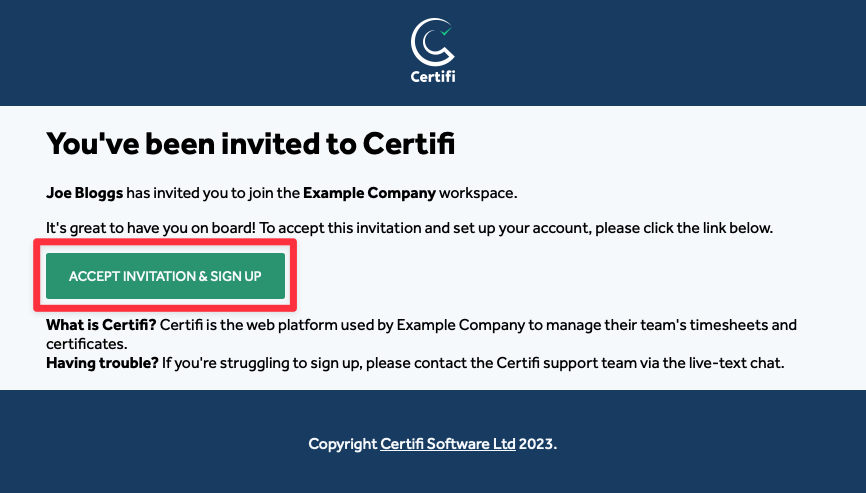
Once a Supervisor has sent you an invitation email (as described here):
- In the email, click Accept Invitation & Sign Up to get started.
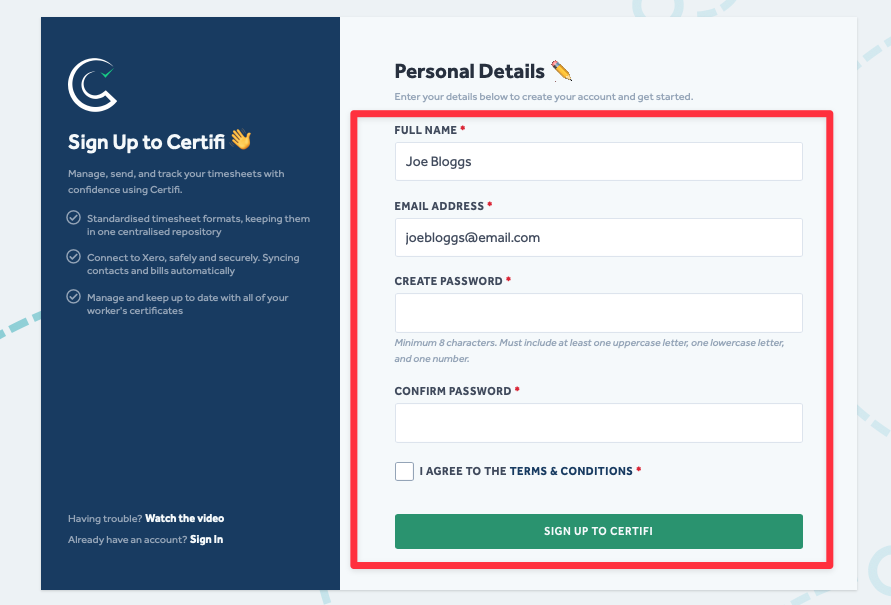
- You will be taken to the Sign Up to Certifi page to fill out your details and create a password.
- Then, agree to the Terms & Conditions and click Sign Up To Certifi.
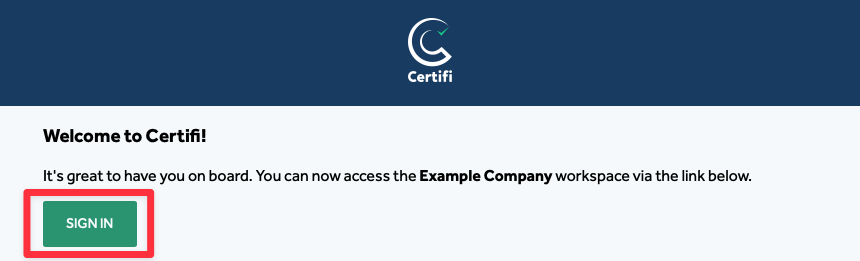
- You will receive a Welcome to Certifi email.
- In the email, click Sign In to be taken to the Certifi login page.
Certifi policy requires you to use strong passwords. Your password must have eight or more characters, including upper and lowercase letters and at least one number. You can add extra characters and punctuation marks to make your password even stronger.
To protect the data privacy of our platform users, all data visible in images throughout this article is from a dummy dataset generated expressly for demonstration purposes. It is not real data.